12 September 2017
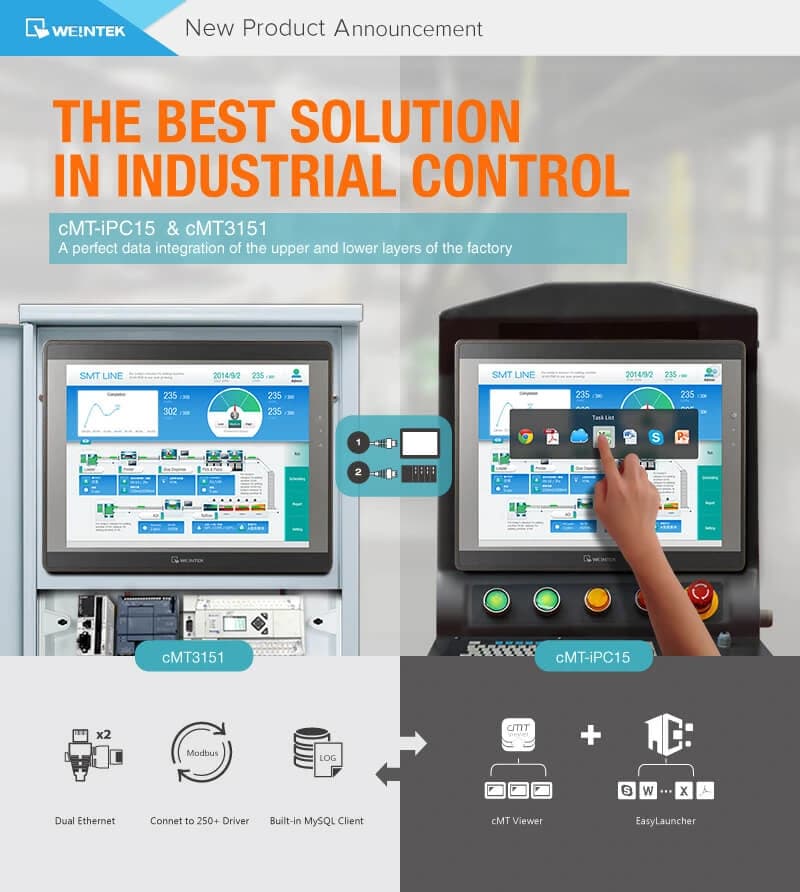
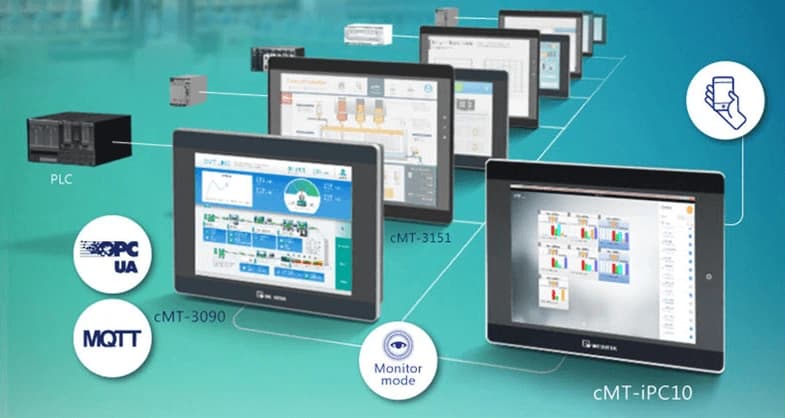
There was a time when an ordinary mobile phone could only be used to make calls and send text messages. After the iPhone 3GS appeared, using a phone entered a new era - the smartphone era. Able to run all kinds of applications, smartphones not only extend what a phone can do, they also remove the cost of buying a separate device for each task. Downloading a GPS app, for example, removes the need for a GPS device; downloading a dictionary app removes the need for an electronic dictionary; using the phone's camera together with a photo editing app removes the need for a digital camera, and using the built-in clock app removes the need for a real clock. Let us take the same idea into industrial control. A conventional HMI can only be used to enter parameters, control the machine, log data and raise alarms, and plays no more than a supporting role to the PLC. An Industry 4.0 HMI, by contrast, has to be able to run third-party applications on the same platform. Typical scenarios include: viewing, exporting and printing the device's data or event log in Excel, consulting the user manual in a PDF reader, changing the PLC program in the PLC programming software, contacting someone in a distant office through a messaging application such as Skype. Just as mobile phones turned into smartphones, the conventional HMI should turn into a smart HMI. That is, the HMI should not only work as a device for monitoring and control inside a plant, but act as a bridge between the machine on the shop floor and a host computer (for example ERP, CMS, SCADA). Weintek has launched a new model, the cMT-iPC15, which works as an HMI but also runs third-party applications. Built on Windows, the cMT-iPC15 can connect to a cMT-SVR using cMT Viewer, serving as an HMI and running third-party applications at the same time. With EasyLauncher, a program designed specially by Weintek's R & D group, it is easy to turn the cMT-iPC15 desktop into a smart UI and to manage which applications may be opened. Fitted with a 1.75 GHz Intel Atom E3827 dual-core processor (also known as Bay Trail), the cMT-iPC15 offers plenty of computing power. On top of that, an SOC chip rated under 10 W gives excellent energy efficiency. The aluminium enclosure and the front panel meet IP65, while the back cover is designed to keep water out and to act as a heat sink. SSD flash memory beats a conventional HDD both for speed and for stability. Building on the cMT-iV5 + cMT-SVR architecture, Weintek has launched a new cMT model: the cMT3151. The new model is not just a standard HMI but also a server, letting a user connect with cMT Viewer running on a cMT-iPC15, an iPad, an Android tablet or a cMT-iV5 for remote control. Since a printer compatible with an HMI can be hard to find for some users, the cMT3151 supports the Linux CUPS line, which works with the major printer brands on the market (HP, for instance). All the user has to do is connect the cMT3151 to the printer. cMT-iPC15 + cMT3151, a seamless integration of data from the upper and lower levels of the plant, the best answer in industrial control The cMT-iPC15 has two tools built in: cMT Viewer and EasyLauncher. The cMT Viewer HMI software can connect to a cMT3151. EasyLauncher, for its part, is a management and monitoring tool that needs only a few simple setup steps before it can give users a smartphone-like experience. The user can tailor the Launcher interface through the application and manage each page's user rights separately. cMT-iPC15 + cMT3151 is particularly suited to collecting data on site, analysing and assessing how efficient the system is, optimising it and carrying out data integration The cMT3151 supports SQLite, which stores data as a stream. That prevents data loss if the USB drive or the SD card is disconnected by accident while data is being stored. The cMT3151 can record video of the machine at work, video that will help you sort out problems in case of a fault. The cMT-iPC15 uses an integrated memory controller that supports ECC error correction, which keeps data reliable and intact. The MySQL client built into the cMT-iPC15 can store the event log or data log from the cMT3151, which can then be shown on the cMT-iPC15 using Excel. The cMT3151's dual Ethernet gives a high level of security Ethernet is set to grow as the standard way a PLC communicates, being faster, more reliable and free of noise compared with an RS-232/485 serial port. If the HMI has only one Ethernet port, connecting the HMI to the controller and to the host computer at the same time requires all three nodes (HMI, controller, host computer) to be on the same network. In such a system a security concern arises, because the controller is exposed to outside access through the host computer, since the host computer can connect to the outside network. The cMT3151 is fitted with dual Ethernet ports, which make sure the HMI can be connected to two independent networks: one port connects to the controller and the other to the host computer (e.g. cMT-iPC15), or is used for remote access (e.g. EasyAccess 2.0). Separating the networks not only rules out network interference in practice, it also considerably improves the reliability and stability of the cMT3151's data transfers.